
Invoice Feed
Sales → Invoice Feed lists your invoices, so you can find, preview, edit, cancel and export them.
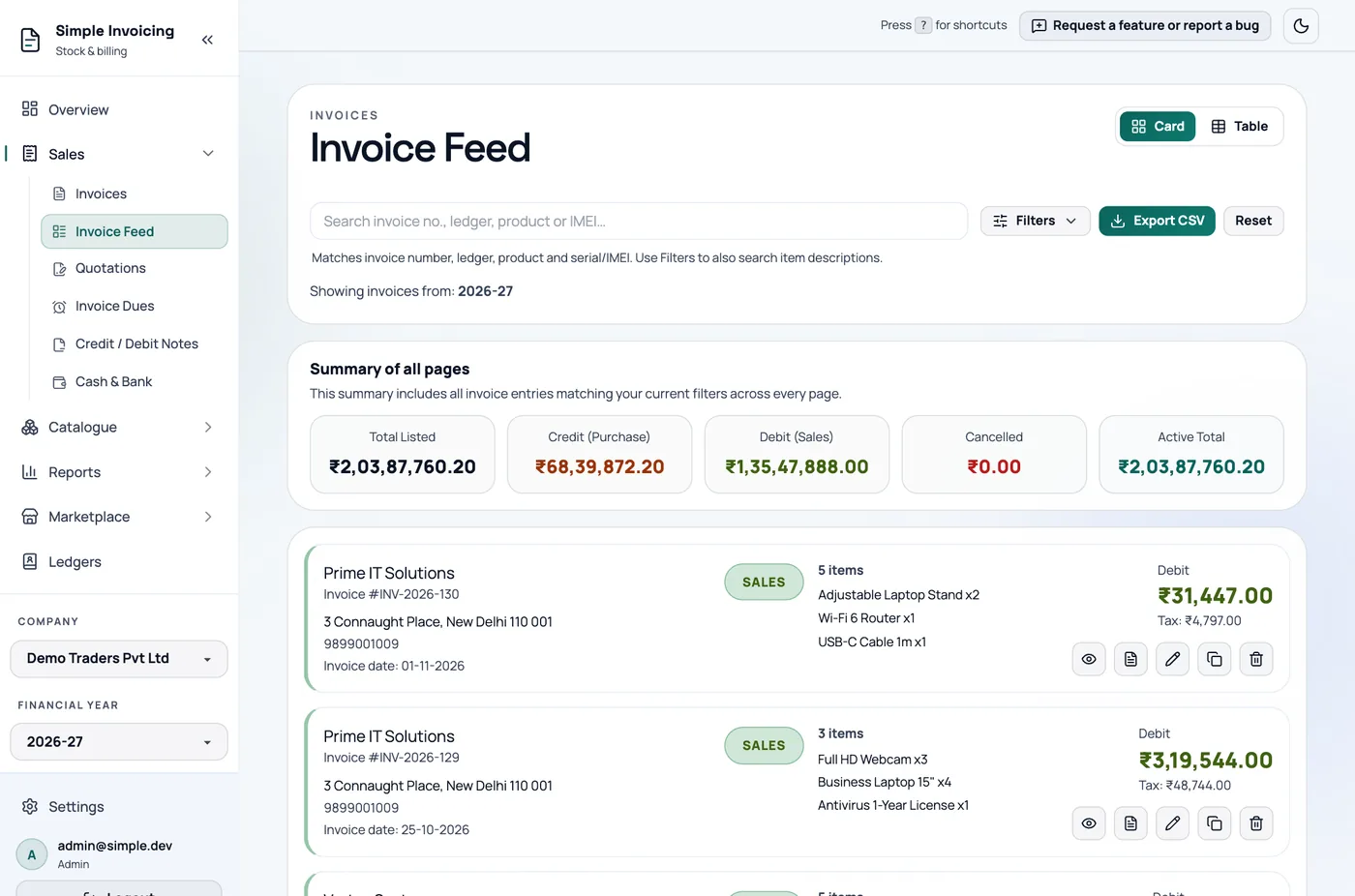
Find an invoice
The search box matches invoice number, ledger, product, the supplier's invoice number, and serial/IMEI, including the last digits.
By default, you only see active invoices in the active financial year. If you cannot find an invoice, click Filters and try:
| Filter | What it does |
|---|---|
| Search all FY | Looks across all financial years. |
| Show cancelled | Includes cancelled invoices. |
| Include item description | Also searches line descriptions. |
| Voucher type | Sales or Purchase. |
| From date, To date, Quick range | Today, This month, Prev month or Current FY. |
Reset clears everything.
Card and Table views
Card view shows the items and has all the actions:
| Icon | Action |
|---|---|
| Eye | Preview, send and print |
| Document | Create credit note. This opens the page, but you need to choose the ledger and invoice yourself. |
| Pencil | Edit |
| Copy | Duplicate |
| Bin | Cancel |
Cancelled invoices only offer Preview and Restore.
Table view is more compact. Clicking a row opens the preview, but there are no edit, cancel or duplicate buttons, so switch to Card for those.
Summaries
The panels show Total Listed, Credit (Purchase), Debit (Sales) and Cancelled, for all matching invoices and for the visible page. Active Total adds sales and purchases together, so filter to one voucher type when you want a meaningful total.
Export
Export CSV downloads all invoices matching your filters, not just the visible page, with GST columns and payment status.