
Finding your way around
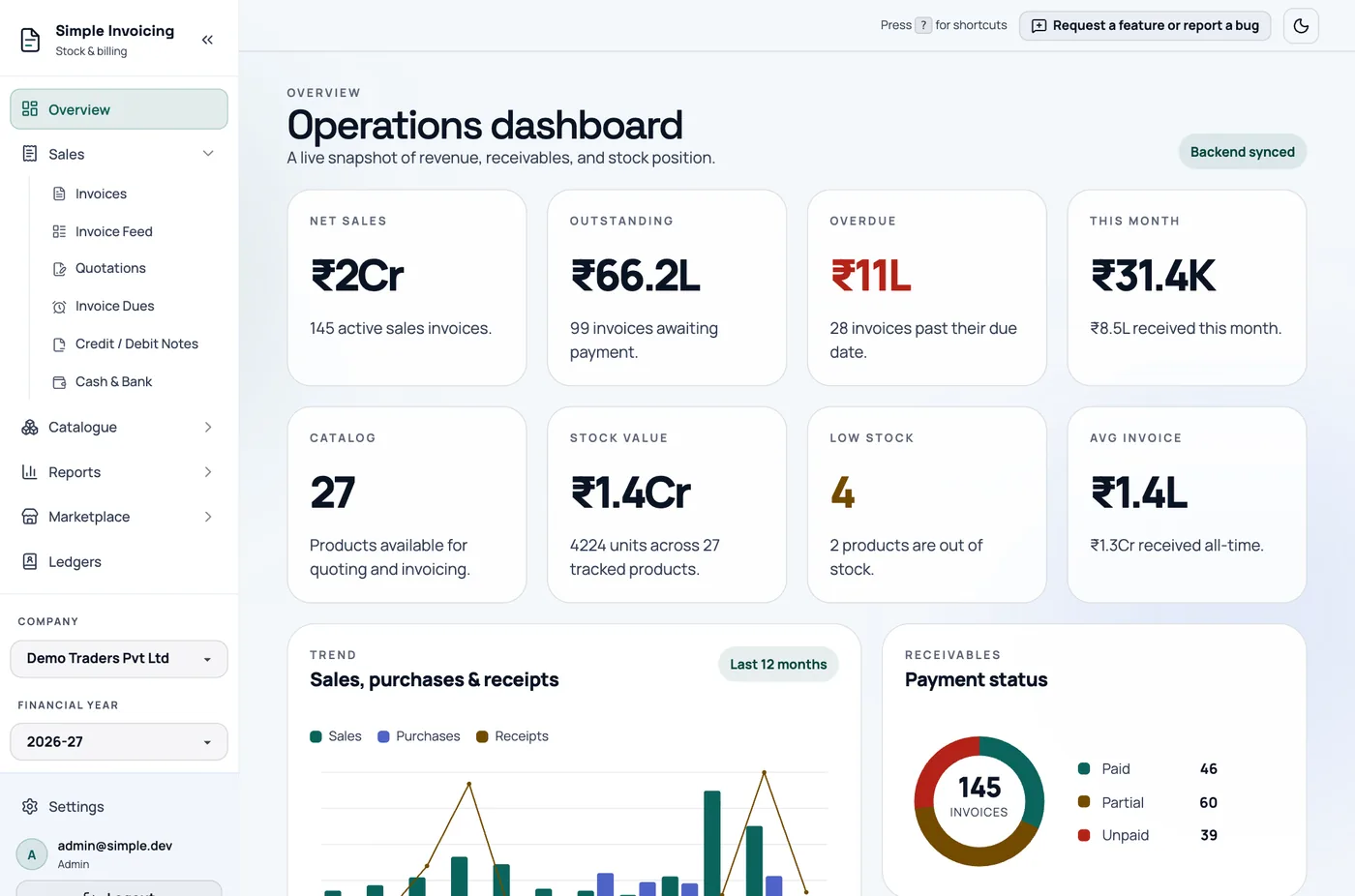
The sidebar
| Section | Contains |
|---|---|
| Overview | The dashboard. |
| Sales | Invoices, Invoice Feed, Quotations, Invoice Dues, Credit / Debit Notes and Cash & Bank. |
| Catalogue | Products & Stock and Produce Items. |
| Reports | Analytics, Day Book, Tax Ledger, GSTR-1 Filing and GSTR-3B Worksheet. |
| Marketplace | Browse, My Listings and Orders. |
| Ledgers | Your customers and suppliers. |
Below those are the Company and Financial Year switchers. At the bottom are Settings, your email and role, and Logout.
Only one section stays open at a time. The arrow at the top collapses the sidebar to icons, and the app remembers your choice in that browser.
On a phone, the sidebar is hidden. Tap the three-bar button to open it, and tap outside it to close it.
The top bar
- Press ? for shortcuts opens the list of keyboard shortcuts.
- Help opens this guide in a new tab.
- Request a feature or report a bug takes you to GitHub, where you can open an issue. You need a free GitHub account.
- The round theme button switches between light and dark.
Keyboard shortcuts
Press ? at any time when you are not typing in a field to see the current list.
| Action | Keys |
|---|---|
| Open Reports (Analytics) | Ctrl+R |
| New Customer (Create ledger) | Ctrl+Shift+C |
| Focus scan box, on the invoice page | Alt+S |
| Go to Dashboard | Alt+O |
| Go to Invoices | Alt+I |
| Go to Quotations | Alt+Q |
| Go to Invoice Dues | Alt+U |
| Go to Credit / Debit Notes | Alt+N |
| Go to Products & Stock | Alt+P |
| Go to Ledgers | Alt+L |
| Go to Day Book | Alt+D |
| Go to Tax Ledger | Alt+T |
| Go to GSTR-1 Filing | Alt+G |
| Go to GSTR-3B Worksheet | Alt+B |
You can change any of these in Settings.
The list also shows New Invoice (Ctrl+N), Save Invoice (Ctrl+S) and Search (Ctrl+F), but these do not do anything yet.
Ctrl+R opens Analytics instead of reloading the page. To reload, use your browser's reload button or change this shortcut.
Dates and links
Most list pages keep their filters and page number in the address. Refreshing or going back keeps your view, and you can bookmark it.
If a page says you need a company, finish company setup first. If you open a page you do not have access to, the app returns you to the dashboard.