
Connect an AI assistant
Simple Invoicing has a built-in MCP server, so Claude, ChatGPT and other MCP clients can work with your books. You can ask:
- "Which invoices are still unpaid?"
- "What was my profit last quarter?"
- "Show me the GSTR-1 summary for October."
- "How much stock do I have left of this product?"
- "Create an invoice for Apex Retail for 5 keyboards."
Connect
- In your assistant, add a custom connector with this URL:
- Hosted:
https://app.simpleinvoicings.com/mcp - Your own copy:
https://<your-host>/mcp
- Hosted:
- Sign in to Simple Invoicing when asked.
- On the Authorize page, check the web address after Codes will be sent to. If you do not recognise it, click Deny. The app's name is chosen by the app, so the address is what you can trust.
- Choose the Company this access is limited to. The connection can never reach your other companies.
- Click Approve access.
The request expires after about 10 minutes. If it does, start again from your assistant.
What you are allowing
| Permission | Allows |
|---|---|
| read | Reading invoices, ledgers, stock, payments and reports. |
| write | Creating and changing invoices, ledgers, products and payments. |
| admin | Managing company settings, users, invoice series and email. Only granted to company admins. |
| send_email | Sending real email to your customers. |
| stay connected | Staying signed in, so you do not have to reconnect each hour. |
The assistant acts as you, with your role, in the chosen company.
Check before you approve changes
With write access, an assistant can create and change real records, and with send_email it can send real email that cannot be recalled. Check what it plans to do before you confirm, especially on invoices and anything sent to customers.
What it can do
- Read: invoices, ledgers and statements, products, stock and serials, payments, credit notes, the dashboard, analytics, day book, tax ledger, and the GSTR-1 and GSTR-3B figures.
- Change: create, update and cancel invoices; create and update ledgers and products; adjust stock; record payments and credit notes; email invoices.
- Never: backups, API keys, passwords, switching company or generating e-way bills.
Long lists and files are shortened in answers, so ask for a narrower date range or check the app for the full figures. Like any AI output, check important numbers before relying on them. Asking for ?profile=all on the end of the URL exposes all tools instead of the curated default set.
Review or revoke access
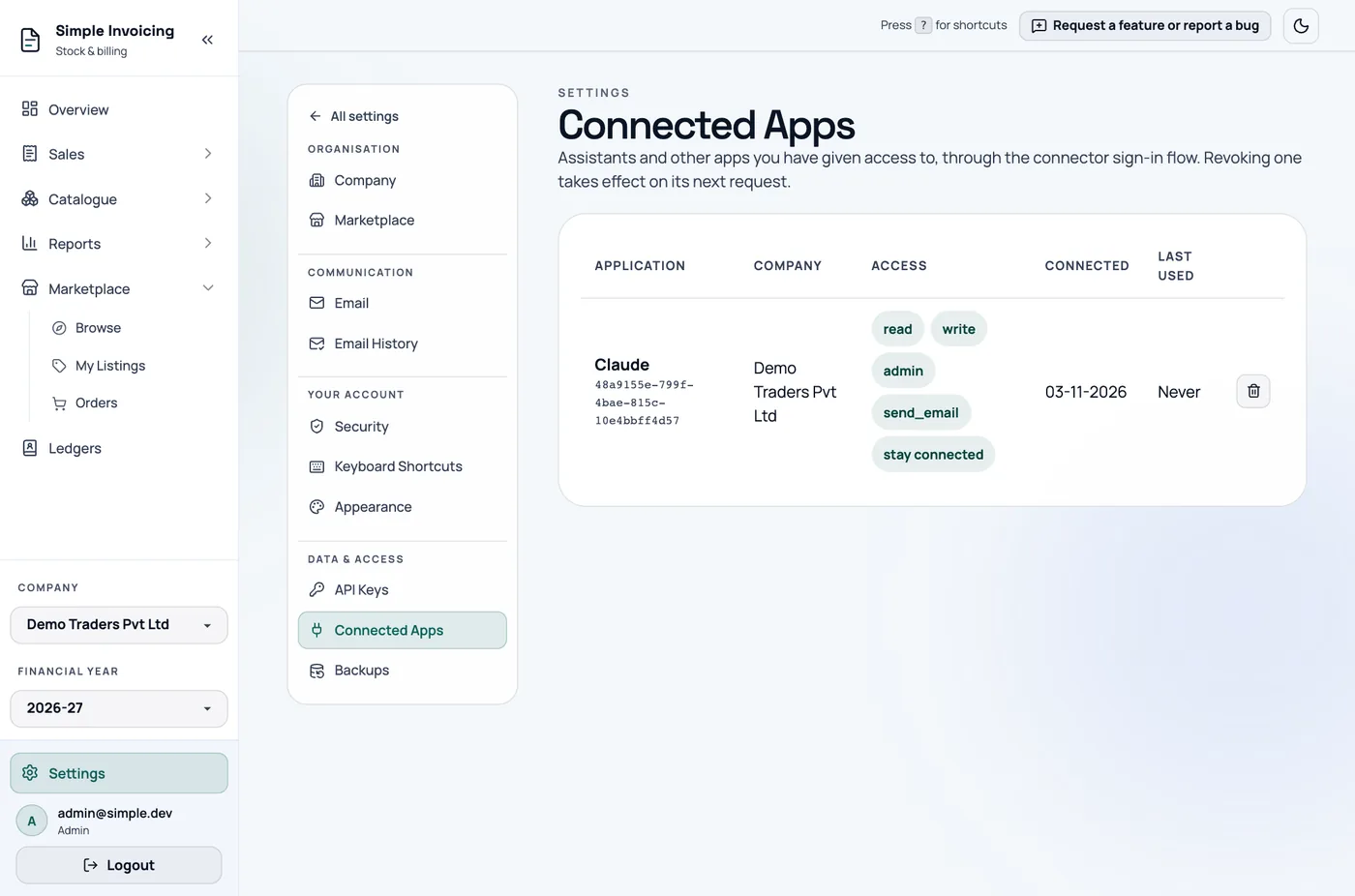
Settings → Connected Apps lists everything connected to your account, with the company, permissions and last use. Click the revoke icon to cut off an app. It stops working on its next request, and reconnecting means approving it again.
On your own copy
- Set
PUBLIC_API_BASE_URLandPUBLIC_APP_BASE_URLto your exacthttps://addresses. MCP stays off until you do. - Tools that change data stay off until you set
MCP_WRITE_ENABLED=true. Without it, assistants can only read, even if you approved write access. - Your reverse proxy must forward
/api,/mcp,/.well-known/and/s/to the backend.